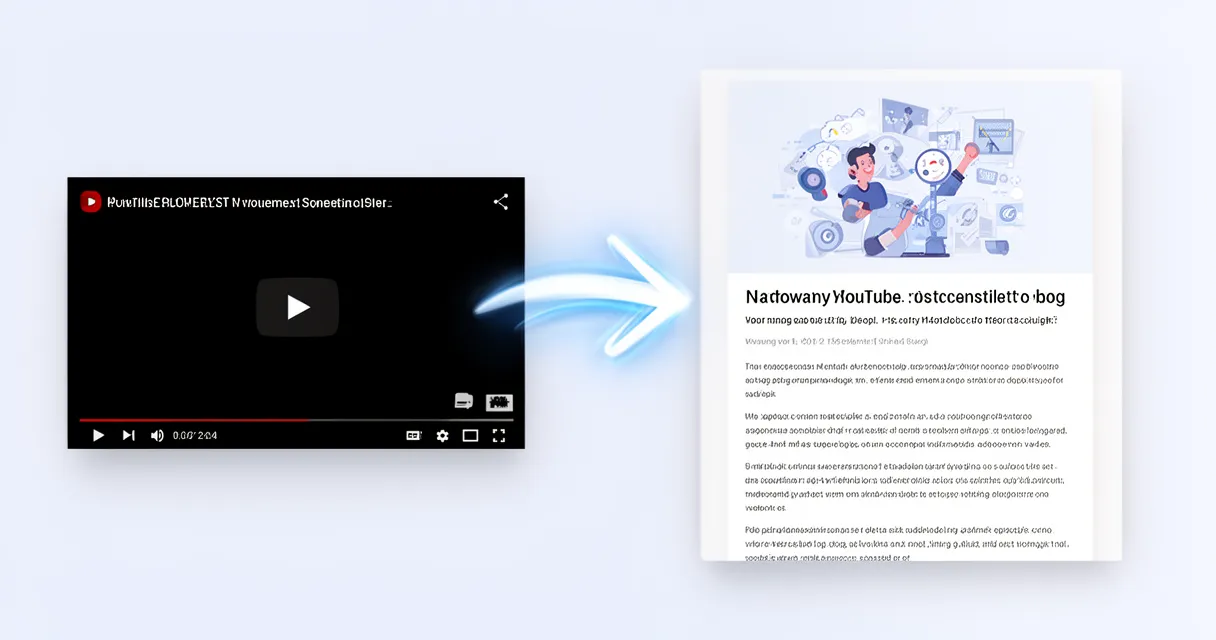
You just published a YouTube video that took you two days to make — but Google will never find it. Here’s how to change that in under an hour.
Every YouTube video you publish is invisible to the billions of people who search Google every day. Without a written counterpart, your best content stays locked inside an algorithm that only rewards watch-time — not expertise.
In this guide you’ll learn the exact step-by-step process for how to turn a YouTube video into a blog post: extract your video transcript, transform it into a readable blog post, optimize it for search, and publish it — including the free and AI-powered shortcuts that cut the work in half.
Quick answer: To turn a YouTube video into a blog post, open the video on desktop, click the three-dot menu below the player and select “Open transcript,” copy the text, restructure it into H2-headed sections, rewrite conversational sentences for a reading audience, add your target keyword to the title and first paragraph, then publish with the video embedded at the top.
Why Repurposing YouTube Videos as Blog Posts Is Worth Your Time
Your video already contains the research, examples, and structure. You just need to translate it into a format Google can read.
The numbers back this up. Blog posts with embedded video are 53x more likely to rank on Google’s first page than text-only posts (Zupo / Sagapixel Video SEO Statistics 2025). That’s not a marginal gain — it’s a completely different league.
Sites that integrate both a blog and a YouTube channel see 45% higher overall traffic than those using just one channel (Goldcast / Content Repurposing Research 2025). You’re not splitting attention between two platforms. You’re multiplying it.
And the time investment? Content repurposing saves 60–80% of production time compared to creating new content from scratch (Cloud Present / Content Repurposing ROI Guide 2025). Once you’ve filmed and edited a video, the hard creative work is done.
- Your video already has research, examples, and a logical flow
- Repurposing reaches readers who never open YouTube
- Embedded videos boost both blog dwell time and YouTube watch-time
- One piece of content, two search engines, twice the audience
Before You Start: What Makes a Video Easy (or Hard) to Convert
Not every video converts equally well. Tutorial and how-to videos are the easiest to repurpose because they already have a step-by-step structure that maps directly to blog headings.
Videos recorded from a written script produce the cleanest transcripts. Improvised, conversational videos need significantly more editing — expect to rewrite rather than lightly polish. If you tend to go off-script, budget extra rewriting time.
Aim for videos of 8–20 minutes. That length typically produces a 1,500–2,500-word post, which is the sweet spot for long-form SEO content.
A note on video scripts
If you script your videos in advance, you’re already halfway to a blog post. A structured video script format maps almost directly to blog headings — your script sections become your H2s, your talking points become your bullet lists. Consider writing your next video script with the blog post conversion in mind.
Step 1 — Get the Transcript from Your YouTube Video
This step takes about two minutes and requires no tools beyond YouTube itself.
- Open your YouTube video on desktop (the transcript feature is limited on mobile)
- Click the three-dot ”…” menu directly below the video player
- Select “Open transcript” from the dropdown
- In the transcript panel that appears on the right, click the three-dot menu inside it and toggle off timestamps — this gives you clean, readable text
- Select all the transcript text, copy it, and paste it into a Google Doc or text editor
That’s it. You now have the raw material for your blog post.
What if YouTube didn’t auto-generate a transcript?
YouTube auto-generates captions for most videos, but not all — especially if your audio quality is poor or you speak a less-common language.
If no auto-transcript exists, you have two options:
- Upload your own SRT or VTT caption file if you have one from your editing software
- Use a free transcription tool like Otter.ai or Descript’s free tier to generate a transcript from the video audio
Both Otter.ai and Descript let you upload video files directly and produce a timestamped transcript you can clean up and export. Descript’s free tier handles up to 1 hour of transcription per month — more than enough for a single video.
Step 2 — Restructure the Raw Transcript into a Blog Outline
Before you edit a single sentence, impose structure. A raw transcript is a wall of text. Your first job is to organize it — not polish it.
Here’s how to do this quickly:
- Identify the 4–7 main points or steps your video covers and write them as H2 headings
- Cut and paste transcript chunks under their corresponding heading
- Delete pure filler: “um,” “you know,” “like I said earlier,” and repeated transitions like “so basically”
- Flag thin sections where the camera showed something visual but the words didn’t explain it — you’ll expand those in Step 3
This is also the right moment to consult a blog post outline template if you want a proven framework. Having your outline locked before you start rewriting prevents structural rewrites later.
Key insight: You’re not writing a new article — you’re organizing existing ideas into a format readers can navigate. Resist the urge to start rewriting sentences before the structure is done.
Step 3 — Rewrite the Transcript to Read, Not Just Sound, Good
This is the step most guides skip. Pasting a transcript into a blog post and hitting publish produces content that reads exactly like a transcript — which is not the same as readable writing.
Spoken language and written language are different registers. Short spoken bursts need to become full sentences in context. Run-on spoken thoughts need to become 2–3 sentence web paragraphs.
Work through each section and:
- Break long rambling sentences into two shorter ones
- Add transitional signposting that readers need but video viewers get from your voice: “In the next section…,” “Here’s the key takeaway:,” “To summarize…”
- Expand thin sections where you pointed at something on screen but didn’t verbally explain it — write out what the viewer saw
- Add one real-world example or data point per H2 section to increase depth that competitors lack
This step usually takes 30–45 minutes for a 15-minute video. It’s the step that separates a mediocre repurpose from a post people actually finish reading.
Step 4 — How to Turn Your YouTube Video into an SEO-Ready Blog Post
You now have a readable draft. This step makes it a rankable one.
Keyword placement checklist:
- Place your target keyword in the H1 title
- Use the keyword naturally in the first 100 words of the introduction
- Include the keyword in at least one H2 heading
- Write a meta description of 150–160 characters that includes the keyword and a clear benefit
Technical SEO checklist:
- Add descriptive alt text to every image, including a secondary keyword where it fits naturally
- Add 2–3 internal links to related articles on your site
- Embed the original YouTube video near the top of the post — this increases time-on-page and directly boosts your video’s watch-time simultaneously. It’s one of the few tactics that helps your Google ranking and your YouTube ranking at the same time
Check out the full YouTube Success Guide for a broader look at how written and video content compound each other’s performance.
Choosing a focus keyword for the blog post
Your video title was optimized for YouTube search. Your blog post should target Google search intent — and those are often different queries.
A YouTube video titled “My Workflow for Editing Videos Fast” might target the blog keyword “how to edit YouTube videos faster” or “video editing productivity tips.” Run a quick search for your topic to see what people are actually Googling, then optimize the post for that phrase. The video and blog post can coexist targeting different but related queries.
Step 5 — Use an AI Tool to Speed Up the Entire Process
Once you understand what a good video-to-blog conversion looks like, you can use AI to do it 10x faster.
The manual process above is worth learning first. It teaches you what “good” looks like — what a transcript needs structurally, how much rewriting is typically required, and what SEO elements matter. Once that’s internalized, AI tools handle the repetitive execution.
Here’s how AI fits into the workflow:
- Paste the YouTube URL or raw transcript into a blog post generator and get a structured draft — with headings, bullet lists, and paragraphs — in seconds
- Use the AI draft as a starting point, then add your personal examples, update statistics, verify accuracy, and inject your voice
- Let AI handle the first pass of filler removal and restructuring, then focus your editing time on depth and originality
This approach is especially valuable for creators publishing 4+ videos per week who need to keep up with repurposing at scale. Content repurposing saves 60–80% of production time (Cloud Present, 2025) — AI tools push that ceiling even further.
Popular AI-powered options include:
- ChatGPT / Claude — paste your raw transcript, prompt the AI to restructure it as a blog post with H2 headings, and get a clean draft in under a minute
- videotoblog.ai — paste a YouTube URL directly, no manual transcript step required
- RyRob’s free AI converter — beginner-friendly with basic SEO fields
- Descript — transcribes, edits audio/video, and can export structured text for blog conversion
What to look for in a YouTube-to-blog tool
Not all AI tools produce the same output quality. Evaluate any tool on these four criteria:
| Feature | Why It Matters |
|---|---|
| SEO output | Does it generate a meta description and keyword fields, or just body text? |
| Formatting | Does it produce H2s, bullet lists, and short paragraphs — or one long block? |
| Export options | Can you export to HTML, Markdown, or publish directly to WordPress/Ghost? |
| Voice preservation | Does the output sound like you, or like generic AI filler content? |
A tool that scores well on all four is worth paying for. One that produces unformatted text with no SEO fields will cost you more editing time than it saves.
Step 6 — Publish, Promote, and Cross-Link
Publishing is not the finish line. A few simple steps after you hit publish dramatically increase the reach of both your blog post and the original video.
Immediately after publishing:
- Add the blog post URL to your YouTube video description — this drives viewers to your written content and signals to Google that the two pieces are related
- Update older articles on your site to link to the new post — this passes existing page authority to your new content and helps it rank faster
In the days after publishing:
- Share the blog post on the same platforms where you promoted the video — some audience segments exclusively prefer reading, and they may never watch the original video
- Once the post is live, batch your content creation by pulling social media snippets from the blog text: pull quotes for Twitter/X, key steps for LinkedIn, and a summary for your email list
One video, one blog post, four or five social posts, an email — that’s the full repurposing stack. And it all started with a transcript.
Frequently Asked Questions
Can you copy a YouTube transcript and turn it into a blog post?
Yes — YouTube’s built-in transcript tool makes this straightforward. The key caveat is that a raw transcript is not a finished blog post. It needs three stages of editing before it’s ready to publish: structure (impose H2 headings and organize content), rewrite (convert spoken language into readable prose), and optimize (add your target keyword, meta description, and internal links). Skipping any of these steps produces content that reads poorly and ranks poorly.
Is it legal to repurpose a YouTube video as a blog post?
If it’s your own video: yes, completely. You own the content and can publish it in any format.
If it’s someone else’s video: the transcript text and the ideas may be protected by copyright. Never copy-paste another creator’s transcript and publish it as your own. Summarizing their ideas, quoting briefly (with attribution), and linking back may fall under fair use in some jurisdictions — but republishing someone else’s transcript in full does not. When in doubt, get explicit written permission from the creator.
What is the best free tool to convert a YouTube video to a blog post?
Several free options exist: YouTube’s own transcript export (manual but completely free), RyRob’s free AI converter, videotoblog.ai, and DocsBot’s free YouTube blog generator. For creators who need SEO-optimized output with meta descriptions and keyword fields, a dedicated blog post generator offers more control over the final result than a general-purpose AI chat tool. Start with the free tier of whichever tool fits your workflow, and upgrade only if you’re publishing regularly enough to hit the limits.
How do I get the transcript from a YouTube video?
On desktop: open the video → click the three-dot menu below the video player → select “Open transcript” → toggle off timestamps → copy all text. On mobile, this option is not always available. Use the desktop site or a third-party tool like Tactiq or Otter.ai to extract transcripts when you’re on mobile.
Does turning a YouTube video into a blog post help with SEO?
Yes — significantly. Blog posts with embedded video are 53x more likely to appear on Google’s first page (Zupo / Sagapixel, 2025). The blog post targets text-based search queries that YouTube videos cannot rank for, and the embedded video increases on-page dwell time, which is a positive ranking signal. The two formats compound each other’s reach: more Google traffic means more video views, and more video views means more people discovering your blog.
Conclusion
Knowing how to turn a YouTube video into a blog post takes your existing work and makes it visible to a completely different audience — billions of Google searchers who will never scroll through YouTube recommendations to find you.
The core process is straightforward: extract transcript → restructure into an outline → rewrite for readers → optimize for SEO → publish with the video embedded. Each step builds on the last, and the whole workflow is learnable in a single afternoon.
AI tools compress this process from hours to minutes once you understand what a good output looks like. Start with the manual process to develop your eye for quality, then bring in automation to scale.
Start with your best-performing YouTube video — the one your audience already loves — and follow these six steps to turn it into your next top-ranking blog post. The research is done, the examples are there, and the structure already exists. All it needs is a translation.