Your YouTube description could be the difference between 100 views and 100,000 views—but most creators treat it as an afterthought.
With 2.70 billion YouTube users (Neal Schaffer YouTube Statistics 2026) and videos now appearing in Google AI Overviews, poorly written descriptions mean your content stays invisible, no matter how good your video is.
This guide shows you exactly how to write engaging YouTube descriptions that rank higher, get more clicks, and turn viewers into subscribers—with proven templates and 2026 optimization strategies.
The quick answer? An engaging YouTube description puts your most important keywords in the first 150 characters, includes timestamps for better UX, adds clear calls-to-action, and uses 200-300 words of conversational, SEO-optimized content. This structure helps both YouTube’s algorithm and Google’s AI models understand and rank your video.
Why YouTube Descriptions Matter More in 2026
If you’ve been copying and pasting generic descriptions, you’re leaving serious traffic on the table.
YouTube descriptions now feed directly into Google AI Overviews, meaning your description content can appear in AI-generated search summaries. This changes everything about how we approach optimizing your YouTube videos for search.
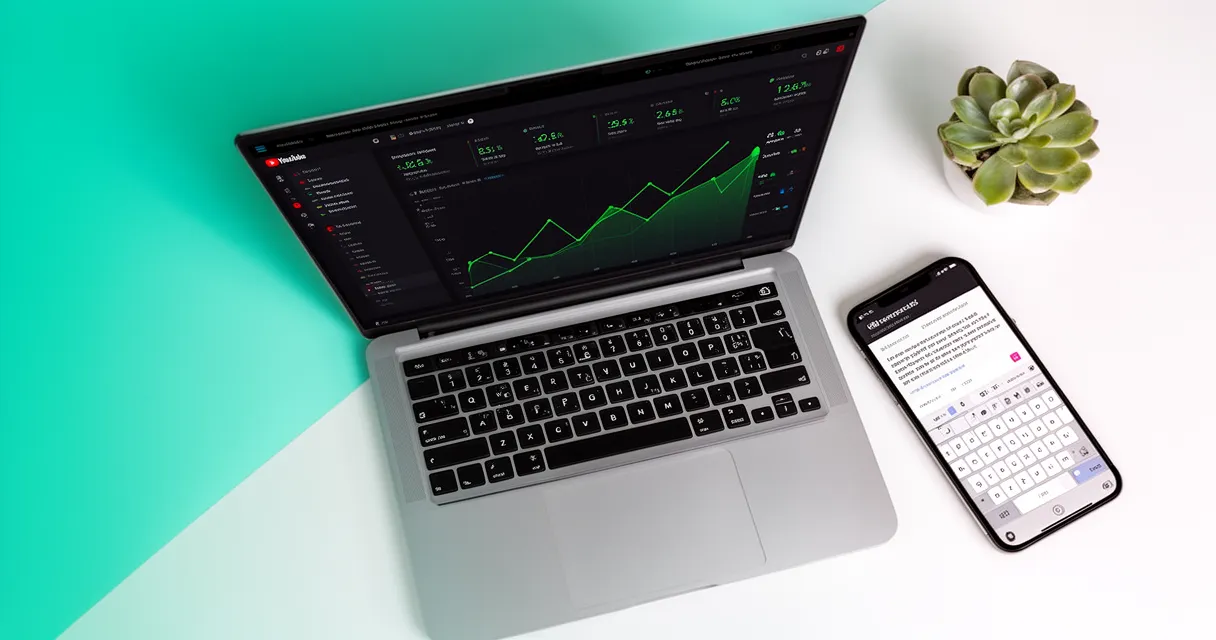
The data backs this up: top-ranking YouTube videos average 2.65% engagement, compared to the platform average of just 0.09% (SEO SHERPA YouTube SEO 2026 Guide). That’s nearly 30 times more engagement from viewers who actually found your video.
The SEO Impact: What the Data Shows
Here’s what’s changed in 2026:
- AI Overview integration: YouTube descriptions help Google’s AI models understand and summarize your content
- Cross-platform visibility: Well-optimized descriptions rank in both YouTube search AND Google search results
- Algorithm matching: YouTube scans your description to match videos to user searches and suggested video feeds
- Massive audience: With 2.70 billion monthly users worldwide, even small ranking improvements mean thousands of additional views
The bottom line? Your description is no longer optional metadata—it’s a critical ranking signal that determines whether your video gets discovered.
The Anatomy of an Engaging YouTube Description
Before we dive into writing strategies, let’s understand what you’re working with.
YouTube gives you up to 5,000 characters (approximately 800 words) for descriptions. But here’s the reality: most viewers will never see your full description.
The sweet spot for detailed descriptions is 200-300 words. This length is enough to satisfy YouTube’s algorithm, provide value to viewers, and avoid overwhelming anyone who actually reads it.
The winning structure looks like this:
- Hook (first 150 characters) - Grab attention and include your primary keyword
- Video summary (50-100 words) - Explain what viewers will learn or experience
- Timestamps/chapters - Help viewers navigate your content
- Links and resources - Direct viewers to related content or tools
- Calls-to-action - Guide viewers to subscribe, comment, or visit your website
Think of your description as a roadmap that serves three audiences: the YouTube algorithm, Google’s AI, and actual human viewers. Each element plays a specific role in serving one or more of these audiences.
Master the First 150 Characters (Your Most Important Real Estate)
This is where most creators fail—and where you can easily stand out.
Only the first 150 characters of your description appear before the “Show More” button (TubeBuddy YouTube Description Best Practices 2025). On mobile devices, this preview is even shorter.
YouTube’s AI-powered search prioritizes this opening section when determining what your video is about and who should see it. This means every word counts.
Your first 150 characters must accomplish three things:
- Include your primary keyword in the first 2-3 sentences
- Deliver a compelling hook or value proposition
- Make sense as a standalone snippet (because that’s how it appears in search results)
Example: Good vs. Bad First 150 Characters
Bad example: “Hey guys! Welcome back to my channel. In this video, we’re going to talk about some stuff related to YouTube. Make sure to like and subscribe!”
Problem: No keywords, no value proposition, wasted space on generic fluff
Good example: “Learn how to write engaging YouTube descriptions that boost views and SEO rankings. This step-by-step guide covers keyword placement, timestamps, CTAs, and templates.”
Why it works: Primary keyword in first sentence, clear value proposition, specific benefits
Another strong example: “YouTube description tips that actually work in 2026. I’ll show you exactly where to place keywords, how to structure chapters, and which mistakes kill your rankings.”
Why it works: Secondary keyword variation, conversational tone, creates curiosity
The difference? The optimized versions tell viewers AND algorithms exactly what value they’ll get, while using strategic keyword placement naturally.
Strategic Keyword Placement (Without Keyword Stuffing)
Here’s how to optimize YouTube descriptions for SEO without triggering spam filters.
Use your primary keyword 2-3 times throughout your description. Any more and you risk penalties. Any less and you’re not maximizing your ranking potential.
The three-placement strategy:
- First paragraph (within the first 150 characters) - This signals to YouTube what your video is primarily about
- Middle section - Work it into your video summary or chapter descriptions naturally
- Near the end - Include it one final time in your CTA or conclusion
Between these primary keyword uses, sprinkle in secondary keywords and semantic variations. If your primary keyword is “how to write engaging YouTube descriptions,” your secondary variations might include:
- YouTube video description tips
- YouTube description best practices
- YouTube description SEO
- Optimizing YouTube descriptions
This variety helps you rank for related searches without repeating the same phrase robotically. For more on this approach, check out our guide on creating compelling video titles.
Pro tip: Write your description naturally first, then go back and strategically place keywords. This prevents the stilted, over-optimized tone that turns viewers off.
Write in a Conversational Tone (Not Corporate Jargon)
YouTube isn’t LinkedIn. Your description should sound like a real human wrote it.
Here’s the truth: viewers can smell corporate marketing speak from a mile away, and they immediately lose trust. YouTube values connection and authenticity over polished corporate messaging.
Write like you’re explaining your video to a friend:
- Use contractions (you’re, don’t, here’s, we’ll)
- Ask questions to create engagement
- Use natural language instead of buzzwords
- Break up sentences with punctuation that creates rhythm
Before and after examples:
Corporate version: “This comprehensive tutorial facilitates the optimization of video metadata through strategic implementation of industry-standard SEO methodologies.”
Conversational version: “I’ll show you exactly how to optimize your video descriptions using proven SEO strategies that actually work.”
See the difference? The second version is shorter, clearer, and sounds like something a real person would say.
Balance is key: You’re optimizing for SEO, but you’re writing for humans first. The algorithm can detect engagement signals—comments, shares, click-through rates—which means authentic communication actually helps your rankings.
Add Timestamps and Chapters for Better UX
Timestamps aren’t just user-friendly—they’re an SEO signal that YouTube rewards.
When you add properly formatted timestamps to your description, YouTube automatically creates video chapters. These chapters appear on your progress bar and in search results, making your content more discoverable and navigable.
The proper timestamp format looks like this:
0:00 Introduction
0:45 Why YouTube descriptions matter
3:20 The first 150 characters strategy
6:15 Keyword placement tips
9:40 Common mistakes to avoid
12:30 Description template
Why timestamps boost your rankings:
- They signal to YouTube that your content is well-structured and high-quality
- They improve view duration by helping viewers find exactly what they need (and stay watching)
- They create additional keyword opportunities in your chapter titles
- They show viewers you respect their time, increasing trust and engagement
Channels with organized content structures receive significantly more engagement. While the direct chapter data isn’t publicly available, related research shows channels with 5+ organized playlists receive 22% more session views than channels without them (SEO SHERPA YouTube SEO Study).
Pro tip: Use your secondary keywords in your chapter titles when it makes sense. Instead of “Tip #3,” write “Keyword Placement Strategy” or “How to Optimize Descriptions.”
Include Strategic Calls-to-Action
Your description should guide viewers toward specific actions.
Most creators either forget CTAs entirely or bury them at the very end. Smart creators place multiple CTAs strategically throughout their description.
The three-CTA approach:
- Early CTA (after your opening hook) - Ask viewers to subscribe or turn on notifications
- Middle CTA (after your video summary) - Direct viewers to related content or resources
- End CTA (at the bottom) - Invite comments, ask a question, or link to your website
Make your CTAs specific and actionable:
❌ Generic: “Don’t forget to subscribe!” ✅ Specific: “Subscribe for weekly YouTube growth tutorials that actually move the needle.”
❌ Vague: “Check out my other videos.” ✅ Actionable: “Watch this next: How to Optimize Your YouTube Channel for complete setup strategies.”
CTAs that link to playlists are particularly powerful. Remember that 22% boost in session views for channels with organized playlists? When you direct viewers to a playlist instead of a single video, you increase the chance they’ll binge-watch your content.
Question-based CTAs drive comments:
- “What’s your biggest YouTube description mistake? Let me know in the comments!”
- “Which tip will you implement first? Comment below!”
- “Did this strategy work for you? Share your results!”
Comments are an engagement signal that YouTube’s algorithm loves, so CTAs that spark discussion literally help your rankings.
Optimize Links and Additional Resources
Links in your description serve two purposes: providing value to viewers and creating a web of connected content.
Here’s the strategic link hierarchy:
- Your most important link - This goes in your first 150 characters if it’s critical, or immediately after your opening paragraph
- Related videos or playlists - Help viewers find more of your content
- External resources - Tools, articles, or products mentioned in your video
- Social media profiles - Twitter, Instagram, website
- Affiliate links - With proper disclaimers
Link placement matters. Most creators dump all their links at the bottom of their description. Instead, integrate them contextually:
“For the complete framework on building your channel strategy, check out our complete YouTube success guide.”
This approach makes links feel helpful rather than promotional.
Important linking rules:
- Use descriptive anchor text: “Click here” tells viewers nothing; “YouTube content calendar template” sets clear expectations
- Add affiliate disclaimers if you earn commissions (YouTube’s transparency policies require this)
- Limit total links: 3-5 well-placed links are more effective than 15 that overwhelm viewers
- Update links regularly: Broken links hurt your credibility and may impact rankings
For creators building a comprehensive content strategy, linking to related guides on planning your YouTube content calendar helps viewers find your best resources while increasing session time across your channel.
5 Common YouTube Description Mistakes to Avoid
Even experienced creators make these description errors. Here’s what to watch out for:
1. Keyword Stuffing
Cramming your description with repetitive keywords doesn’t boost rankings—it triggers spam filters and turns off viewers.
What it looks like: “YouTube descriptions, how to write YouTube descriptions, YouTube description tips, best YouTube descriptions, YouTube description SEO, YouTube descriptions that rank…”
YouTube’s algorithm is sophisticated enough to understand semantic variations. Write naturally and use your primary keyword 2-3 times maximum.
2. Ignoring the First 150 Characters
If you start with “Hey guys, welcome back to my channel,” you’ve already lost.
Those first 150 characters are prime real estate that appear in search results, suggested videos, and on mobile. Use them for your keyword and hook, not generic greetings.
3. Being Too Vague or Generic
“In this video, I talk about YouTube tips” tells viewers nothing.
Specific beats generic every time. Compare: “I’ll show you exactly how to place keywords in your YouTube descriptions to rank #1 in search results.”
4. Forgetting Mobile Users
Over 70% of YouTube watch time happens on mobile devices, where even less of your description is visible.
Test your descriptions on mobile. Does the preview make sense? Does it create curiosity? Would you click?
5. Not Updating Descriptions for Older Videos
Your back catalog is an SEO goldmine you’re probably ignoring.
Go back to your top-performing videos from 6+ months ago and update their descriptions using these strategies. You’ll often see ranking improvements within 2-4 weeks because you’re optimizing content that YouTube already trusts.
YouTube Description Template (Copy and Customize)
Ready to put this all together? Here’s a proven template you can copy and customize for any video type.
The Universal YouTube Description Template:
[HOOK + PRIMARY KEYWORD] (First 150 characters)
In this video, I'll show you [specific outcome] using [method/strategy].
Perfect for [target audience] who want to [desired result].

[VIDEO SUMMARY - 50-100 words]
You'll learn:
• [Key takeaway #1]
• [Key takeaway #2]
• [Key takeaway #3]

[TIMESTAMPS]
0:00 Introduction
[X:XX] [Chapter title with keyword]
[X:XX] [Chapter title]
[X:XX] Conclusion

[RELATED CONTENT CTA]
Watch next: [Link to related video]

[RESOURCES/LINKS]
🔗 [Tool or resource mentioned]: [link]
🔗 [Template or download]: [link]

[SOCIAL MEDIA]
Follow for more [topic] tips:
Twitter: [link]
Instagram: [link]
Website: [link]

[ENGAGEMENT CTA]
What's your biggest challenge with [topic]? Let me know in the comments!

[FINAL CTA]
Subscribe for weekly [topic] tutorials: [channel link]

#hashtag1 #hashtag2 #hashtag3
How to customize this template for different video types:
Tutorial videos: Emphasize step-by-step outcomes and specific tools viewers will use
Vlogs: Replace “you’ll learn” with “in this episode” and focus on storytelling elements
Product reviews: Include purchase links (with affiliate disclaimers), pros/cons lists, and comparison links
Consistency tip: Modern content creation tools can automate description writing with AI-powered generators, keyword suggestions, and templates that ensure consistency across videos. These tools help creators save time while maintaining SEO optimization and quality—especially useful if you’re publishing multiple videos per week and need to maintain description quality at scale.
The key is adapting this structure to your unique voice while keeping the SEO fundamentals intact.
Frequently Asked Questions
How long should a YouTube description be?
Aim for 200-300 words. While YouTube allows up to 5,000 characters, quality matters more than quantity. Focus on making the first 150 characters compelling and keyword-rich, then use the remaining space for timestamps, links, and CTAs.
What should I include in my YouTube description?
Every description should include: (1) Keywords in the first 150 characters, (2) A clear video summary, (3) Timestamps/chapters, (4) CTAs asking viewers to subscribe, like, or comment, (5) Relevant links to related content, (6) Social media profiles, and (7) 3-5 hashtags maximum.
Where should I put keywords in my YouTube description?
Place your primary keyword in the first 2-3 sentences (within the first 150 characters). Use it naturally 2-3 times total throughout the description. Add secondary keywords in the middle and end sections. Never stuff keywords—the algorithm detects this and may penalize your video.
What are common YouTube description mistakes to avoid?
Avoid: keyword stuffing, ignoring mobile preview (first 150 characters), copying competitors exactly, being too vague, using only links without context, forgetting CTAs, and neglecting to update descriptions on older videos. Each of these mistakes costs you rankings and engagement.
Do YouTube descriptions affect video ranking?
Yes. YouTube scans descriptions to understand your content and match it to searches. Descriptions also feed Google AI Overviews in 2026, making them more important than ever. Videos with optimized descriptions rank higher in both YouTube search results and Google search results.
Conclusion
Writing engaging YouTube descriptions isn’t rocket science, but it does require strategy.
Here’s what matters most:
The first 150 characters determine whether viewers click. Make them count with your primary keyword and a compelling hook.
Use 200-300 words with strategic keyword placement (2-3 times total). More isn’t better—clarity and value are.
Add timestamps, CTAs, and links for maximum engagement. These elements serve both viewers and the algorithm.
Write conversationally—optimize for humans first, algorithms second. The engagement signals from authentic descriptions ultimately boost your rankings more than keyword-stuffed corporate speak.
Most importantly, remember that descriptions now impact Google AI Overviews, making them more important in 2026 than ever before.
Start optimizing your YouTube descriptions today using the template above. Review your top 5 videos and update their descriptions with these strategies—you’ll likely see ranking improvements within 2-4 weeks.