Most LinkedIn posts get fewer than 200 views. Yours doesn’t have to.
You spend 20 minutes writing a thoughtful post, hit publish, and watch it disappear into a feed of crickets. No likes, no comments, no new connections — despite the effort. Meanwhile, someone else posts a three-sentence opinion and racks up thousands of reactions. What’s their secret?
Here’s the truth: learning how to write LinkedIn posts that get engagement isn’t a matter of luck. It follows a repeatable pattern that top creators use every single time.
In this guide, you’ll learn the exact Hook-Value-CTA framework used by high-performing LinkedIn creators, which post formats drive the most engagement in 2026, and ready-to-use templates you can fill in and publish today.
Quick answer: To write LinkedIn posts that get engagement, lead with a scroll-stopping hook in the first 210 characters, deliver one focused insight or story in the body, and close with a question or CTA. Post 2–5 times per week and respond to every comment within the first hour to maximize algorithmic reach.
According to ConnectSafely’s LinkedIn Statistics 2026, the average LinkedIn engagement rate rose to 3.85% in 2026 — up 44% year-over-year. Engagement is growing, but so is competition. A clear strategy separates the creators who get traction from those who don’t.
Why Most LinkedIn Posts Get Ignored (And What the Algorithm Actually Rewards)
The LinkedIn algorithm doesn’t distribute your post to your entire network when you hit publish. It tests it first.
LinkedIn shows your post to roughly 2–5% of your connections. If that small sample engages — comments, likes, clicks — the algorithm widens the distribution. If they scroll past, your post is essentially dead on arrival. That’s why the first few minutes after publishing are so critical.
A few common mistakes accelerate this death spiral:
- Generic openers — posts that start with “Excited to share…” or “I’m thrilled to announce…” signal low value to readers and the algorithm alike. They get scrolled past.
- External links in the post body — posts with links to websites, YouTube, or articles placed in the body see approximately 60% less reach, according to DataSlayer’s LinkedIn Algorithm Analysis from February 2026. Always put your link in the first comment.
- Dense walls of text — LinkedIn is a mobile-first platform. A 10-line paragraph looks unreadable on a phone screen and tanks dwell time.
The 2026 algorithm explicitly rewards depth and dwell time over raw likes or follower count. A post that makes someone stop and read for 45 seconds beats a post that gets 50 shallow likes. Keep this in mind as you write.
The Hook-Value-CTA Framework: How to Write LinkedIn Posts That Get Engagement
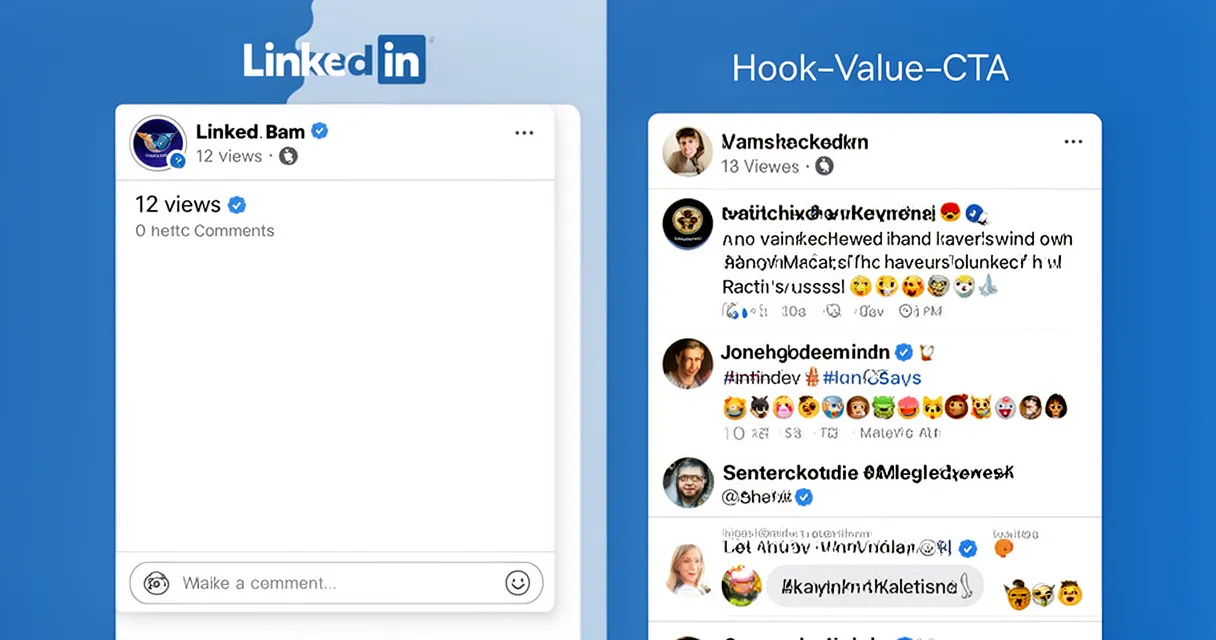
Every high-performing LinkedIn post follows a simple three-part structure: Hook → Value → CTA. Master this framework and you have a repeatable system for writing posts that consistently get engagement.
Step 1: Write a Scroll-Stopping Hook
Your hook is everything. It lives in the first ~210 characters — the text visible before the “See more” button. If the hook doesn’t stop the scroll, nobody reads the rest.
Here are five proven hook types — the linkedin hooks examples that consistently outperform in every niche, each with a reliable template:
-
Contrarian — flips a popular belief your audience holds
- “Cold outreach is dead. Here’s what’s actually working in 2026.”
- “Posting every day on LinkedIn hurt my business. Here’s why.”
-
Data-driven — opens with a specific, surprising stat
- “85% of LinkedIn video is watched on mute. Are your posts ready for that?”
- “The top 1% of LinkedIn creators post an average of 3.7 times per week. Most people post once.”
-
Story/Vulnerability — starts in the middle of a real moment
- “I lost my biggest client last year. This is what I did next.”
- “Three years ago I posted on LinkedIn every day for 90 days. Zero followers gained.”
-
Question — targets a genuine pain point
- “Why do some LinkedIn posts go viral while others get 12 views?”
- “When was the last time you updated your LinkedIn content strategy?”
-
List — sets clear expectations upfront
- “7 things I wish I knew before growing to 10,000 LinkedIn followers:”
- “5 LinkedIn post formats ranked by engagement rate (2026 data):”
Research from LinkedIn’s own platform data suggests strong hooks boost reader retention by up to 30% compared to weak openers. And remember: never start with “I”, “We”, or “Excited to share.” Start with the tension or the payoff, not the preamble.
Step 2: Deliver Genuine Value in the Body
The body of your post has one job: deliver on the promise your hook made. Follow the “one big idea” rule — pick a single insight, story, or lesson and expand it with specifics and examples.
Resist the urge to cram everything you know into one post. A tight, focused post with one insight performs far better than a scattered post trying to cover five.
For formatting:
- Write 1–2 lines per paragraph with generous white space between them. This is not a blog post — it’s a mobile feed post.
- Use bullet points only for true lists of three or more items, not as a crutch for every sentence.
- Cut corporate jargon entirely. Write like you’re explaining something to a smart friend over coffee, not sending a press release.
Step 3: Close with a CTA That Drives Comments
Comments carry more algorithmic weight than likes. A comment signals real engagement and tells LinkedIn the post sparked a conversation worth amplifying.
Ask a genuine, open-ended question tied to your post topic. Here are five copy-paste CTAs you can rotate:
- “What’s your take?”
- “Have you experienced this? Drop it below.”
- “Which of these do you already do?”
- “Tag someone who needs to see this.”
- “What would you add to this list?”
Avoid lazy CTAs like “Follow me for more content” — they convert poorly and feel transactional.
Best LinkedIn Post Formats for Maximum Engagement in 2026
Choosing the right format is part of how to increase LinkedIn engagement. Not all formats perform equally — and the data in 2026 is pretty clear.
Carousel Posts (The Highest-Engagement Format)
Carousel posts (multi-image PDFs uploaded natively) are the single highest-performing content format on LinkedIn right now.
According to PostUnreel and ContentIn’s LinkedIn Engagement Benchmarks 2026, carousel posts achieve a 6.60% average engagement rate — 278% more than video and 596% more than text-only posts.
Best practices for carousels:
- First slide = your hook — treat it like the first line of a text post
- One idea per slide — don’t cram multiple points onto a single card
- 6–12 slides is the optimal length; shorter feels thin, longer loses readers
- Consistent branding makes your carousels instantly recognizable in the feed
- They’re ideal for repurposing your best blog posts, frameworks, or step-by-step guides
Text-Only Posts
Text posts are the lowest barrier to entry and still one of the most effective formats for thought leadership and personal storytelling.
Use the “broken paragraph” style — one sentence per line with a line break between each. This format dramatically outperforms dense text blocks on mobile.
Text posts work best for: opinion pieces, personal lessons, client stories, and raw observations. Don’t wait until you have design skills. Start with text posts today.
Short Video Posts
Short native video (under 90 seconds) achieves 3–7% engagement rates and is growing fast. Key rules:
- Upload natively — never link out to YouTube or TikTok. LinkedIn suppresses external video links.
- Add captions. 85% of LinkedIn video is watched on mute.
- Your first 3 seconds are your visual hook equivalent — start mid-action, not with an intro.
- Authentic, selfie-style video consistently outperforms studio-quality production in engagement.
For more on writing hooks that stop the scroll across every format, see our dedicated guide.
How to Find LinkedIn Post Ideas That Your Audience Actually Cares About
Running out of ideas is one of the most common reasons people abandon a consistent LinkedIn content strategy for beginners.
Build your content around four content pillars — whether you’re a solopreneur, freelancer, or brainstorming linkedin post ideas for small business growth:
- Lessons learned — What have you figured out the hard way that your audience can learn in 60 seconds?
- Contrarian opinions — What does everyone in your industry believe that you’d push back on?
- Step-by-step how-tos — What process do you follow that your audience would pay to learn?
- Personal stories with a professional takeaway — What happened to you this week that has a broader lesson attached?
For ongoing idea generation, mine your own conversations. Every question a client, colleague, or follower asks you is a post idea. Keep a running note in your phone and add to it constantly.
AI tools are a powerful brainstorming accelerator here. Tools like ChatGPT or Claude can help you generate 10 variations of a hook from a single idea, repurpose a bullet point into a full post draft, or identify angles you haven’t considered. Think of AI as a brainstorming partner — you bring the authentic experience, it helps you expand and refine the idea quickly. Many creators now use AI to overcome the blank-page problem before writing in their own voice.
Combine this with a solid content strategy planning guide and you’ll never run dry.
How Often Should You Post on LinkedIn for Consistent Growth?
The data-backed sweet spot is 2–5 posts per week, a frequency endorsed by LinkedIn’s VP of Product Management. According to a Buffer analysis of over 2 million LinkedIn posts, members who post at least twice a week see up to 5x more profile views than those who post once a week.
A few key principles:
- Quality beats quantity every time. One exceptional post outperforms five mediocre ones — and low-quality frequent posting actively trains the algorithm to suppress your content.
- Best days: Tuesday through Thursday consistently show the highest engagement rates, with Tuesday typically leading.
- Consistency matters more than frequency. Posting every Tuesday and Thursday for three months beats posting 10 times in one week and going dark the next.
If managing a regular posting schedule feels overwhelming, batch create your LinkedIn content in advance to maintain momentum without daily effort. A simple content calendar to plan your LinkedIn posts can reduce the weekly mental load dramatically.
The First-Hour Engagement Window: What to Do Right After You Post
Publishing is not the finish line. The hour after you publish is when the game is actually won or lost.
LinkedIn seeds your post to 2–5% of your network. Their behavior in the first 60 minutes determines whether your post reaches 500 people or 50,000. Critically, only 5% of posts that underperform in the first hour ever go on to reach a wider audience.
Here’s exactly what to do after you hit publish:
- Reply to every comment within 60 minutes. Each reply signals active conversation to the algorithm and triggers re-notification for the commenter, which often generates another comment.
- Alert 2–3 highly engaged connections before you post. Give them a heads-up that you’re publishing something they’d find valuable. Their early engagement can tip the algorithm’s initial distribution.
- Do NOT edit your post within the first hour. Edits reset the algorithmic momentum counter and can cause your post to lose the traction it was building.
- Stay off other posts during this window — focus your attention on your own comment section.
This first-hour strategy alone can double the reach of a post you’ve already written.
LinkedIn Post Templates That Get Engagement (Copy and Customize Today)
The best linkedin post format for beginners is the structured text post. Here are three fill-in-the-blank templates based on the top-performing post structures in 2026. Each follows the Hook-Value-CTA framework.
Template 1: The Lesson Learned Post
I [did X] for [time period]. Here's what I learned:

1. [Lesson one — one line]
2. [Lesson two — one line]
3. [Lesson three — one line]
4. [Lesson four — one line]
5. [Lesson five — one line]

The biggest surprise? [Most unexpected insight in one sentence.]

What's the biggest lesson you've taken from [topic]?
Template 2: The Contrarian Opinion Post
Unpopular opinion: [statement that challenges a common belief in your niche].

Here's why I believe this:

→ [Reason 1 backed by your experience]
→ [Reason 2 backed by data or observation]
→ [Reason 3 — personal story or client example]

Most people do [X]. The ones who get results do [Y].

Agree or disagree? Tell me why in the comments.
Template 3: The Step-by-Step How-To Post
How to [achieve a specific outcome] in [X steps]:

Step 1: [Action — one line]
Step 2: [Action — one line]
Step 3: [Action — one line]
Step 4: [Action — one line]
Step 5: [Action — one line]

The whole process takes [time]. Most people skip Step [X] — don't.

Save this for later. Which step do you find hardest?
These templates give you a starting point, but the real magic comes from filling them with your own specific experience and voice.
Want to generate post drafts faster without staring at a blank page? AI-powered LinkedIn writing assistants can take one of these templates and your topic, then produce a ready-to-edit first draft in seconds. Tools like [Tool Name] act as your LinkedIn post drafting assistant — you bring the expertise, it handles the first draft, and you edit it to match your voice before publishing. For creators maintaining a 3–5x weekly posting cadence, this workflow alone can save hours every week.
Frequently Asked Questions
How long should a LinkedIn post be for maximum engagement?
Short posts under 150 words work well for story hooks and opinions. 150–300 words is the sweet spot for most text posts. Longer content performs better as a carousel or LinkedIn Article. Avoid putting more than 600 words in a single post body — that’s what LinkedIn Articles are for.
What types of LinkedIn posts get the most engagement in 2026?
Carousels lead at a 6.60% average engagement rate, followed by polls at 4.4%, short native video at 3–7%, and text posts. That said, format matters less than a strong hook and genuine value. Authenticity consistently outperforms production quality.
How do I write a LinkedIn hook that stops the scroll?
Use one of five hook types: contrarian, data-driven, story/vulnerability, question, or list. Keep it under 210 characters. Avoid openers like “I’m excited to share…” or “Today I want to talk about…” — start with the tension or payoff, not the preamble.
How often should I post on LinkedIn for consistent growth?
2–5 times per week is the data-backed sweet spot. Members who post at least twice a week see up to 5x more profile views. If you can only manage one post per week, make it exceptional — frequent low-quality posting actively hurts algorithmic trust.
How many hashtags should I use in a LinkedIn post?
3–5 hashtags is the recommended range. Mix one broad hashtag (#LinkedIn or #Marketing), one niche hashtag (#ContentMarketing), and one specific hashtag (#LinkedInTips). Avoid using 15–20 hashtags — the algorithm treats hashtag stuffing as a spam signal and suppresses your reach.
Conclusion
Writing LinkedIn posts that consistently get engagement comes down to a few fundamentals you can apply starting today.
The Hook-Value-CTA framework is the foundation of every high-performing post — your hook alone determines whether anyone reads past the first line. Carousels and short text posts are the highest-ROI formats in 2026, but the best format is always the one you’ll actually create consistently. Post 2–5 times per week, stay active in the comments during the first hour after publishing, and keep external links out of the post body.
Most importantly: consistency and an authentic voice outperform production quality every single time. Start posting now, use the templates above to get moving, and improve as you go.
Ready to stop staring at a blank LinkedIn post draft? Use [Tool Name] to generate your next post in under a minute — then edit it in your own voice and start building the audience your expertise deserves.